
How Video Game Streamers Actually Write Their Social Content (9 Tools That Do The Work)

You just ended a four-hour stream. Twelve people watched, three of them were friends, and one was a bot. You know the advice: clip the good bits, post them to TikTok and Shorts, write a caption that makes strangers care. So you open the app, stare at the caption box, type “went crazy on this one lol”, delete it, type it again, post it, and get 41 views. That gap between playing the game and writing about the game is where most small channels quietly die.
This is the stack that closes that gap. Nine tools – mostly free – that handle clip-finding, caption drafting, hook writing, scheduling and community follow-through. AI features appear, but only as a drafting partner. Your voice stays yours, because that is the actual product you are selling.
- Streamladder – Turn A Twitch Clip Into A Vertical Post In Two Minutes
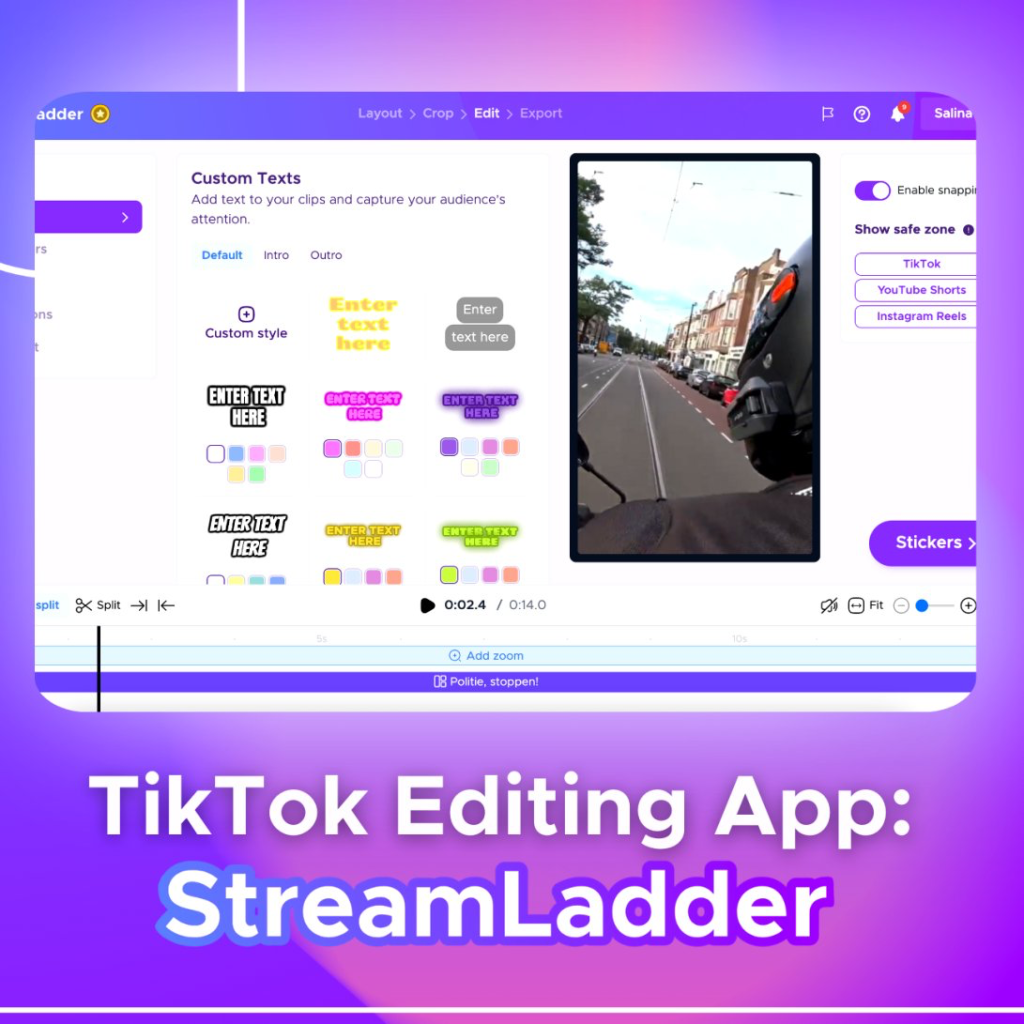
Streamladder is the tool most small streamers touch first, and for good reason. You paste a Twitch clip URL, it pulls the VOD, gives you a vertical canvas with facecam-and-gameplay layouts, and burns in auto-captions. No timeline editing, no keyframes, no thirty-minute render. It exports ready for TikTok, Shorts and Reels.
Where it earns its place in a writing article is the caption step. Because Streamladder transcribes your audio, you get a text version of what you actually said – and your best caption is almost always a line you already blurted out mid-fight. Read the transcript, pull the funniest six words, that is your hook text on screen. The free tier watermarks and caps exports, which is annoying but survivable while you learn what lands.
Free – $12 / month
- OpusClip – Let The Algorithm Find Your Best Twelve Seconds
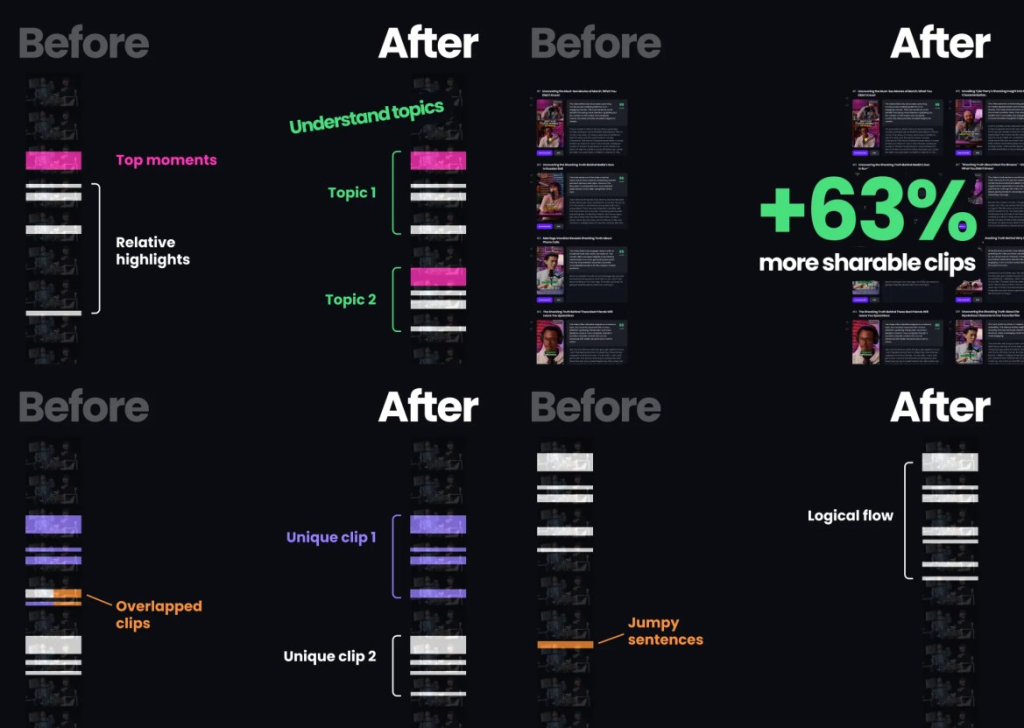
You are too close to your own VOD to judge it. OpusClip takes a long recording, scans it for moments with emotional spikes and complete narrative beats, and spits out a stack of vertical clips with scores attached. For a new streamer with no clip-hunting instincts yet, that scoring is a genuine education – you start seeing why a reaction shot beats a mechanically impressive play.
It also drafts titles and hashtags for each clip. Treat those drafts as raw material, not final copy. Opus writes serviceable, slightly bloodless YouTube-ese; your job is to rewrite it in the way you actually talk, keep the specific noun it found, and delete the exclamation mark. The free plan gives you a limited monthly minute allowance, which is roughly one long stream. Enough to test the habit.
Free – $29 / month
- CapCut – The Free Editor Where Your Captions Actually Get Written
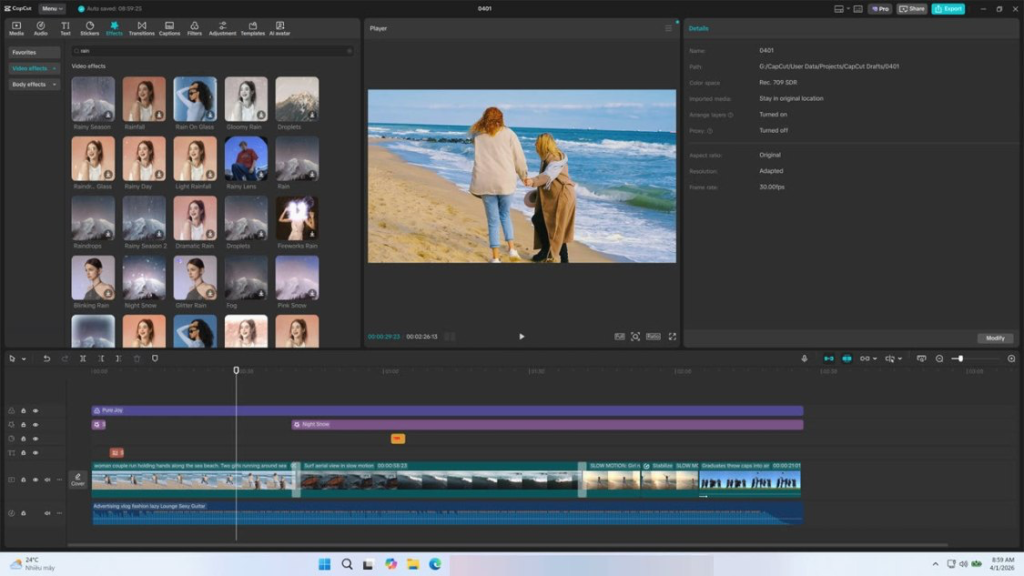
Every auto-clipper gets you 80 percent there. CapCut is where you finish. Free on desktop and mobile, it handles the on-screen text that does the real persuading: the three-word hook in the first half second, the mid-clip setup line, the payoff word timed to the moment you scream. Auto-captions are one tap and editable, which matters because auto-transcription always mangles game names.
The underrated part for writing is the text template library. Not because the templates are beautiful – many are hideous – but because they force you into a word count. A hook box holds about five words comfortably. Working inside that limit teaches concision faster than any advice thread. Build one clip you like, save it as a template, and your next twenty posts take four minutes each instead of forty.
Free – $10 / month
- ChatGPT – Your Free Writing Partner, Not Your Ghostwriter
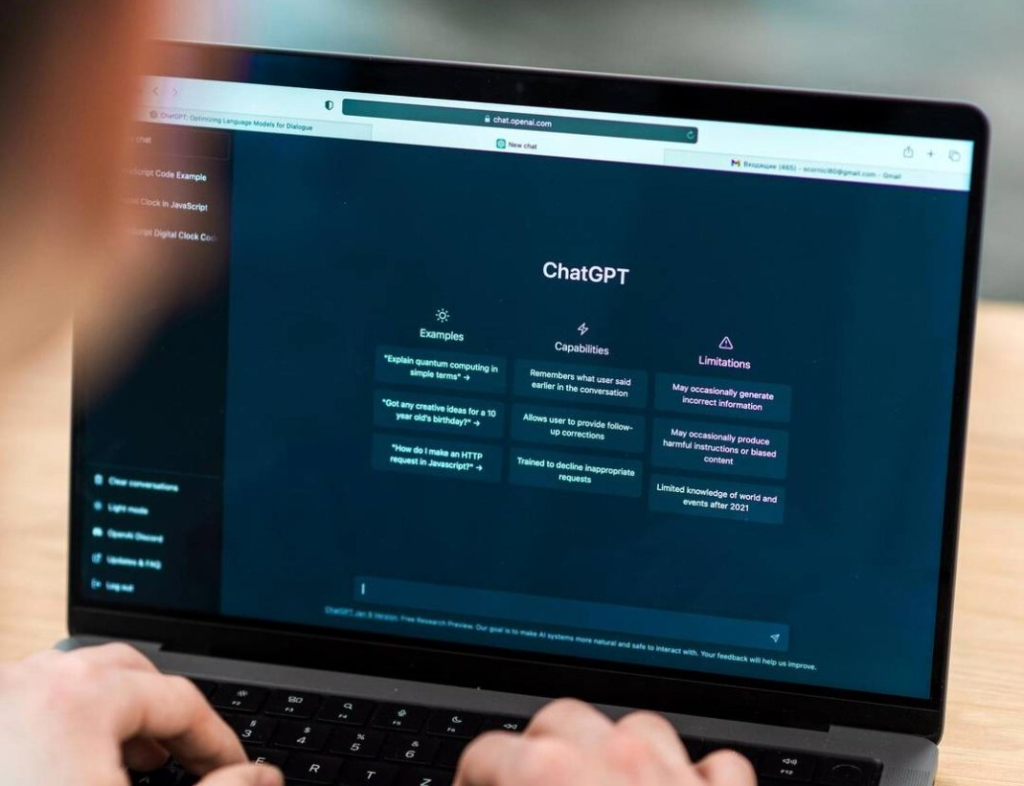
The mistake is asking it for captions. You get twelve interchangeable lines with emoji and the word “insane”. The move is to feed it your own transcript and ask it to pull the five funniest verbatim lines, or to give it a rough caption you wrote and ask for eight shorter versions under nine words. It is excellent at compression and terrible at personality.
The other job it does well: variation at volume. Write one good hook structure that worked, then ask it to rewrite the same structure for fifteen different clips you describe in a sentence each. You keep the voice, it does the typing. On the free tier this costs nothing and saves the hour a night that usually gets you to “I will post tomorrow”, which becomes never.
Free – $20 / month
- Notion – The Swipe File That Stops You Starting From Zero
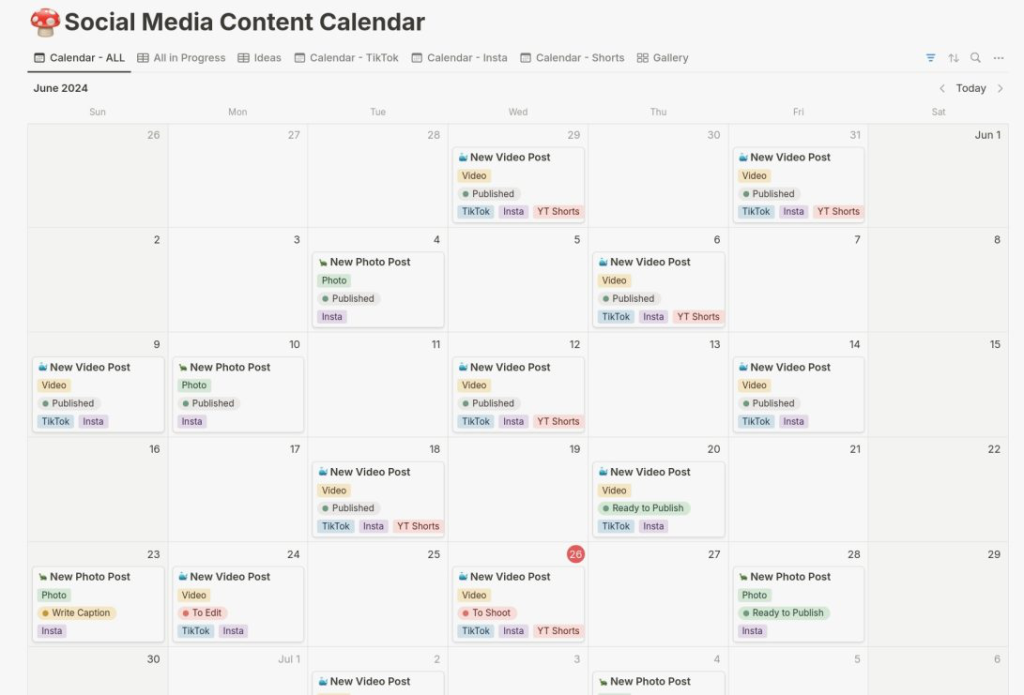
Blank caption box is a solvable problem, and the solution is a database. A single Notion page with three tables – hooks that worked, hooks other people used on you, and clip ideas you have not shot yet – means you never write from nothing again. Free for personal use, syncs to your phone, and works fine as a scrappy mess.
What makes this a growth tool rather than an organisation tool is the tagging. Log every post with its view count and which hook type you used – question, claim, confession, failure. After thirty posts you have a real pattern, not a vibe. Most small streamers discover their failure clips outperform their highlight clips three to one, and that single insight rewrites how they caption everything. Nothing else on this list gives you that.
Free – $12 / month
- Metricool – Schedule Nine Posts On Sunday, Stream Guilt-Free All Week
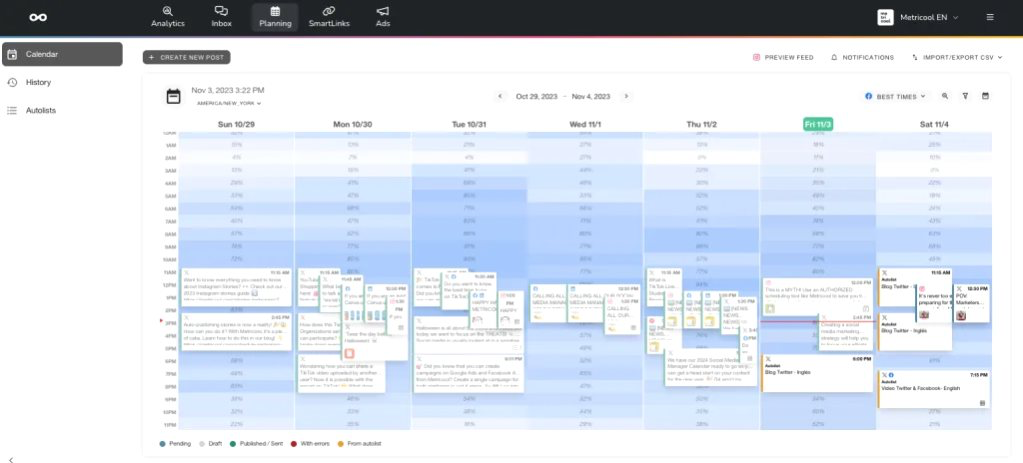
Posting live from your phone means posting when you remember, which means Tuesday and never again. Metricool’s free plan lets you queue and publish to TikTok, Instagram Reels and YouTube Shorts from one calendar, plus X if you still use it. You write all the captions in one sitting, in one headspace, and that consistency shows in the writing itself.
The writing benefit is seeing your captions side by side in a calendar grid. Six posts stacked vertically instantly reveal that you have written “chat was NOT ready for this” four times. Variety becomes visible. The free tier is limited on scheduled posts per brand, which for a solo streamer with one channel is broadly fine until you are posting twice daily. Then the cheap paid tier is an easy yes.
Free – $22 / month
- TikTok Creative Center – Free Trend Research Without The Guesswork
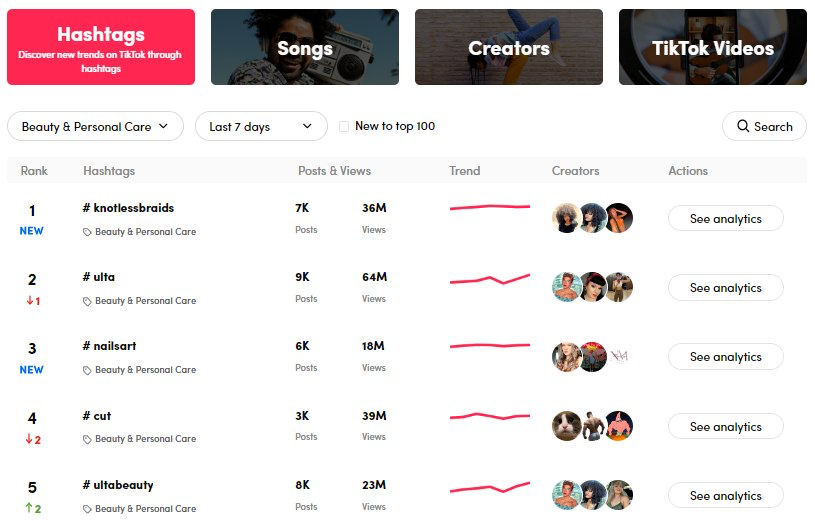
This is TikTok’s own free research portal, and shockingly few small streamers use it. You can browse trending sounds by region, see which hashtags are climbing in gaming specifically, and view top-performing ads for phrasing patterns. No account tier, no cost, no plugin. It is the closest thing to reading the room before you speak.
For writing, go straight to the trending keywords view. If “soulslike beginner” is spiking, that phrase belongs in your caption verbatim, not paraphrased. Search is a growing share of how gaming clips get discovered, and captions are the only text signal you control. Fifteen minutes here on a Sunday will change more of your caption vocabulary than any prompt pack you could buy. Pair it with your Notion swipe file and you have a repeatable research ritual.
Free
- Elgato Stream Deck Mini – Mark The Good Moment While It Is Happening
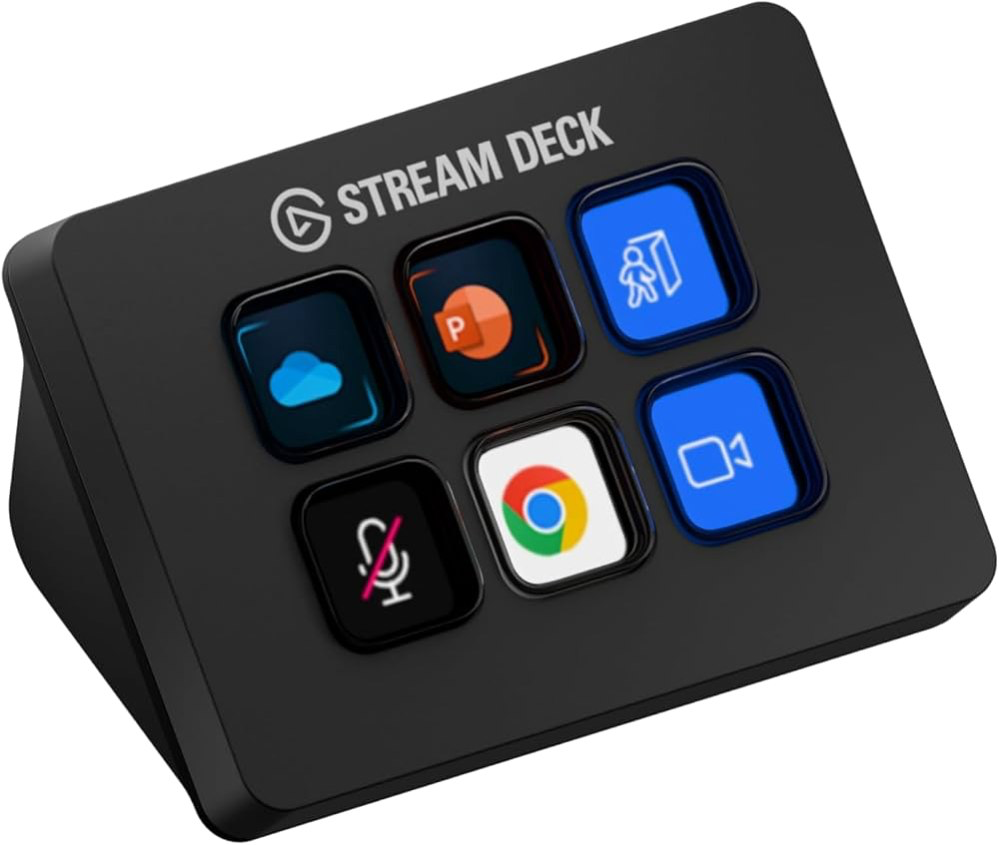
Hardware, on a writing list, deliberately. The reason your captions are weak is often that you cannot remember what actually happened. A six-key Stream Deck Mini with one button bound to clip-and-marker means the moment you laugh, you tap, and that timestamp is waiting for you tomorrow. It converts a four-hour VOD into a shortlist.
Bind the other keys to a scene switch, a mute, and a chat shoutout, and the thing pays for itself in stream quality alone. But the marker button is the writing tool. Streamers who clip in the moment write from memory of the feeling; streamers who scrub VODs write from obligation, and it reads that way. Used units turn up cheap and there is nothing to go wrong with them. The full-size fifteen-key model is nicer but unnecessary at this stage.
$69 – $89
- Discord – Where A Follower Becomes Someone Who Shows Up
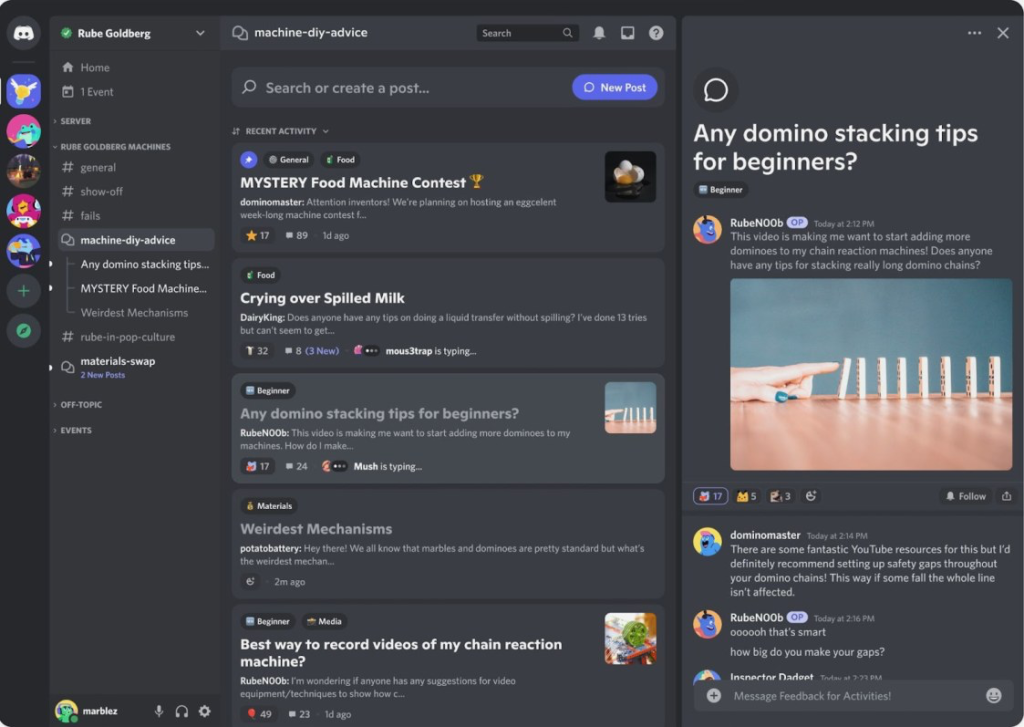
Views are not community. The conversion happens when someone leaves the platform to come sit in your server. Discord is free, and the writing that matters here is different: not hooks, but announcements. A short, specific “going live in 20, finishing the run that killed me on Tuesday” outperforms a generic ping every time, because it references shared history.
Set up a Twitch or YouTube live notification integration, then write one manual post a week that is not promotional – a clip you failed to land, a poll on what to play next. This is the piece almost every small streamer skips, and it is the piece that turns thirty TikTok viewers into eight regulars who actually chat. Nine tools deep, this is the one with the highest ratio of impact to effort. Costs nothing but attention.
Free – $10 / month
How To Pick Without Building A Nine-Tool Frankenstein
Do not adopt all nine. A new streamer running nine tools posts less than one running two, because every extra step is a place to quit. The realistic starting stack is a clipper, a text editor for captions, and somewhere to store hooks that worked. That is Streamladder or OpusClip, CapCut, and Notion. Everything else is an upgrade you buy with proof, not hope.
Add tools in response to a specific bottleneck you can name out loud. If the problem is “I never post”, add Metricool. If it is “my clips are fine but nobody stays”, add Discord. If it is “I cannot find good moments”, add the Stream Deck. AI comes last, not first – it makes bad writing faster, and only sharpens writing that already has a voice in it.
- Pick one clipper and commit for thirty posts. Tool-hopping resets your data and your instincts.
- Never post an AI caption unedited. Use it to compress and vary lines you wrote, then rewrite the last line yourself.
- Log view counts against hook type from day one – the pattern usually contradicts what you assumed.
- Upgrade off a free tier only when you have hit its limit two months running, not because a feature list looks nice.
The Boring Answer Is The Real One
Streamers who grow are not better writers than you. They have a shorter path from a funny moment to a posted clip with a caption that gives a stranger a reason to care. Streamladder or OpusClip shortens the clipping. CapCut and a swipe file in Notion shorten the writing. TikTok Creative Center tells you which words are currently worth using. Discord catches the people those words bring in.
Start with three of these this week and post ten clips before you judge anything. Your first captions will be bad, which is fine and unavoidable. What matters is that by post forty you will have a documented sense of what your specific audience finds funny – and that is an asset no tool on this list can sell you.